
Home / QC photos
Warehouse photographs from CNFans, turned into daybook lines
The warehouse photos are your only look at the item before it leaves China. Reading them in a fixed order, and writing down what you saw, turns a glance into a record.
Defects, sizes, colours: the stated scope
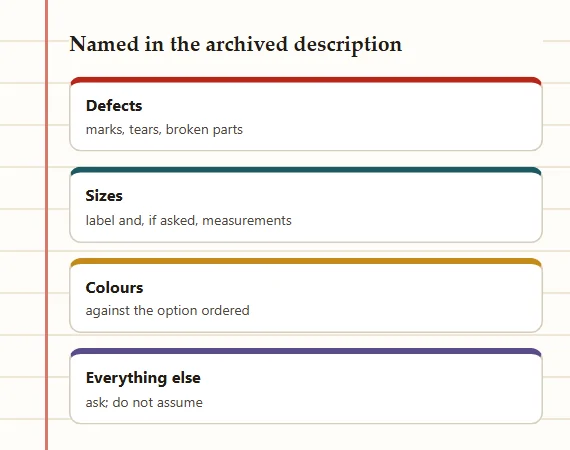
On its archived home page CNFans said that once items reach its warehouse it carries out a thorough quality check covering defects, sizes and colours, among other things. That is the whole of the published description we could read; the help article titled Inspection Information was not readable in any copy we have.
So treat the check as three questions the warehouse is looking at for you, and everything else as something you may need to ask for. A flat measurement, a close-up of a zip, a photo of the inside label: if it matters to you, put it in the order note or ask once the photos are up. Asking early is free; asking after the parcel has shipped is too late.
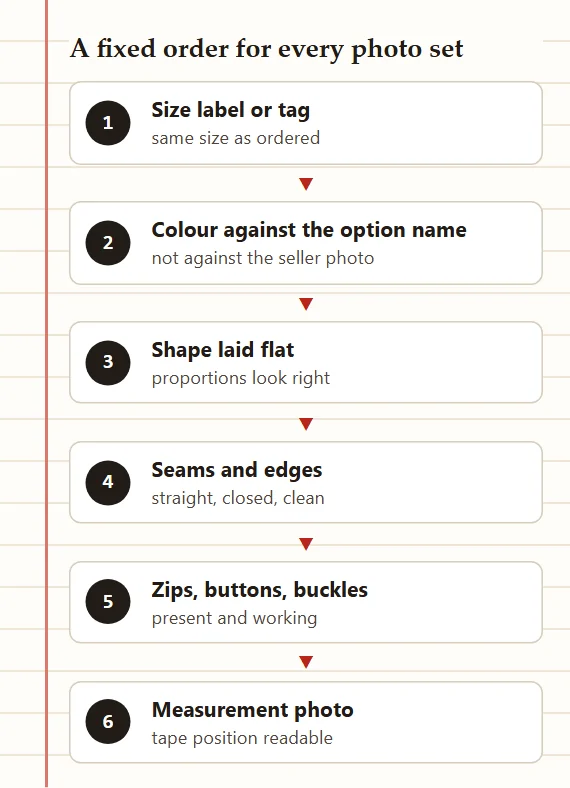
A fixed reading order for the photo set
Go through the set the same way every time so nothing is skipped. Start with the label or tag that shows the size, then the colour against your written option name, then the overall shape laid flat. After that, seams and edges, then hardware such as zips, buttons and buckles, and finally any measurement photo.
This QC checklist is short on purpose. Six questions take two minutes, and the answer to each goes into one line: matched, not shown, or a problem. “Not shown” is a useful answer; it tells you what to ask for before you approve.
Work from the photos at full size, not the thumbnails. Labels and stitching are where problems hide, and both blur first when an image is shrunk. If a photo is too small or too dark to answer one of the six questions, treat that question as not shown and ask for a replacement shot rather than guessing.
Keep the order of questions even when the set is obviously fine. The habit is the point: a two-minute routine done every time catches the one set in twenty where something is off.
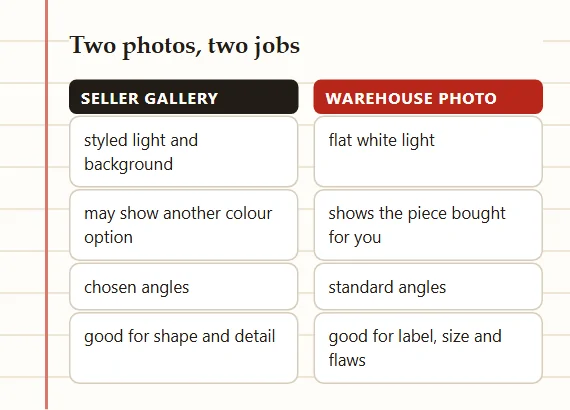
Colour, size and the photo that misleads
Warehouse lighting is flat and white, seller photos are styled, and neither is your screen’s fault. Judge colour against the colour name you ordered, not against the seller’s gallery. If you ordered 卡其, khaki, and the photo shows something greyer, ask; if it simply looks paler under bright light, note that and move on.
For size, the label is evidence and the eye is not. A tape laid across a garment shows a flat width; double it for the round measurement. Check where the tape starts, since a photo with the tape a few centimetres in from the seam will read small.
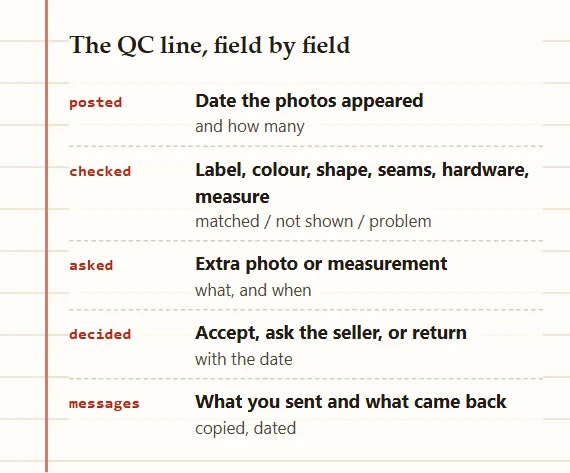
Writing the QC line in your daybook
The QC line is the one line you will most often need again. Give it the date the photos appeared, how many of them there were, what you checked and the result of each, any extra photo you asked for, and your decision with its date.
If you raise a problem, copy the message you sent and the reply you got, each with its date. Messages inside an agent account are easy to lose once an order closes. A copy in your own notes is not.
Write the line even when everything matched. A clean QC line dated before shipping is the evidence that later damage happened in transit, and it takes ten seconds to write.
Closing the entry at the doormat
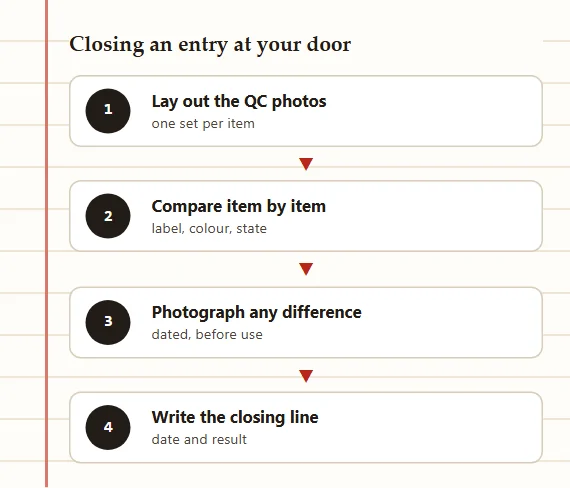
Open the parcel with the QC photos open beside you. Check each item against its photo set and against its first line: same colour, same size label, nothing newly broken in transit. Take a photo or two of anything that differs, with the date, before you wash or wear it.
Then close the entry with a final line: delivered, the date, and either “as photographed” or what differs. If something is wrong, your lines show where it happened. A flaw visible in the QC photos was there in China; damage that is not in them points to the journey, and the two cases are argued with different people.
A hoodie photo: write down the unanswered checks
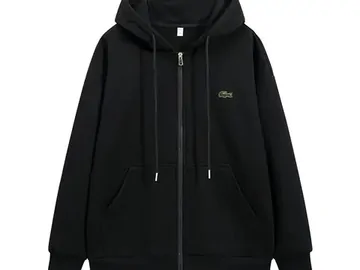
The front shows a zip, drawcords and pockets. It does not show a readable size label, a tape measurement, the inside fabric or the back. On your daybook, those are missing evidence, not passed checks.
Ask for a view of the label and one flat chest measurement if fit is unresolved. Save the request time and leave the decision line open until the answer arrives. Do not read the garment width from the pixel width of this photograph: the camera distance and crop are unknown.
If the received hoodie is visibly different, compare it with the saved option and listing first. Record which difference you are asking the seller to resolve, then keep the item out of parcel selection while that question is open.