Home / What an entry records
Inside a CNFans Spreadsheet entry, part by part
On 20 October 2026 we opened forty catalogue entries, five from each of eight aisles, and wrote down which parts of each page were filled in. Here is what they showed.
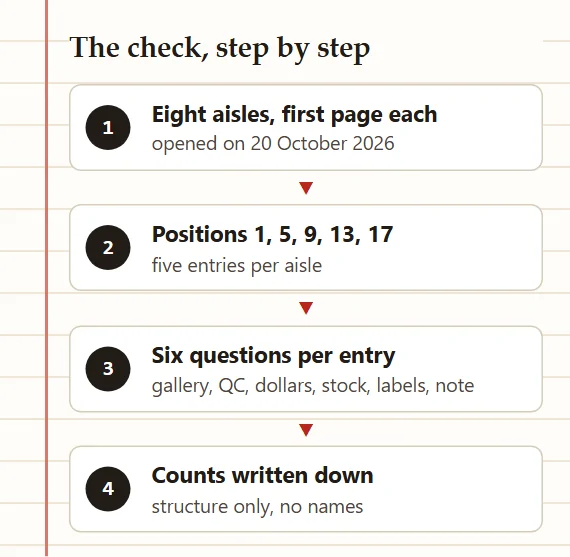
The sampling, done by hand
We took the first page of eight aisles: hooded tops, denim, trainers, caps and hats, coats, eyewear, bags and jewellery. From each we opened the cards in positions one, five, nine, thirteen and seventeen, so the sample was spread down the page rather than bunched at the top.
For every entry we noted the size of the photo gallery, whether the QC tab held photos, whether a dollar figure and a stock figure were printed, whether the option labels were in Chinese, whether the seller’s pre-purchase note was included, and whether the card showed one price or a range.
We recorded page structure only. No titles, shop names or brands from the sample are published here, and forty entries describe these aisles on one day, not the whole catalogue for good.
The counts from forty entries
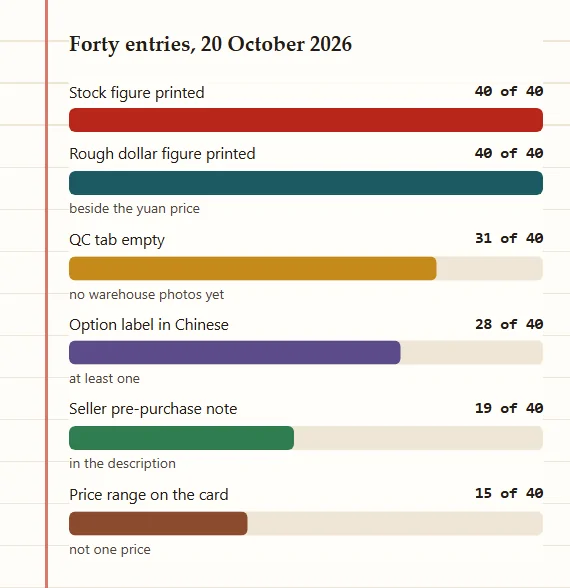
Every entry we opened printed a stock figure and a rough dollar figure next to the yuan price. Most did not have warehouse photos: thirty-one of forty QC tabs said none had been uploaded yet.
Twenty-eight entries used Chinese for at least one option label, and nineteen descriptions carried the seller’s pre-purchase note. Fifteen cards showed a price range rather than one price. Galleries ran from two photos to forty-one, with sixteen in the middle of the pile.
None of this says anything about quality. It says what you will have in front of you when you decide, and what you will have to find out elsewhere.
Two of the counts are worth keeping as defaults. Expect the QC tab to be empty, and expect at least one option label you will need to translate. Neither should slow an order down once you know to look for them, and both are the kind of detail a first line records in passing.
One entry traced back to its seller
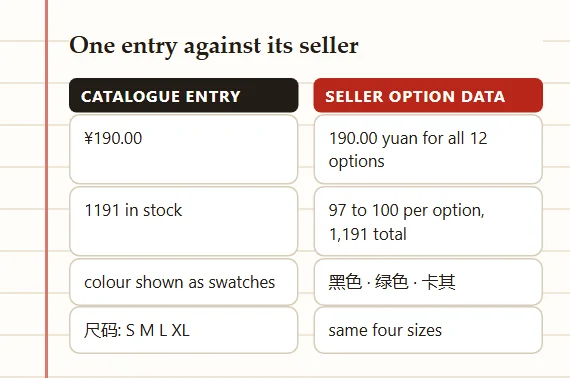
To see where the numbers come from, we took one hooded-top entry and read the seller’s own option data on Weidian the same evening. The seller listed three colours and four sizes, twelve options in all, each at 190.00 yuan. Their stock added up to 1,191, exactly the figure the entry printed.
So the entry is a copy of the seller’s numbers at the time it was refreshed. The entry showed colour choices as photo swatches; the seller’s menu named them 黑色, 绿色 and 卡其: black, green and khaki. That name is what the warehouse matches against when it photographs your piece, so it is the name to write down.
Option menus written in Chinese
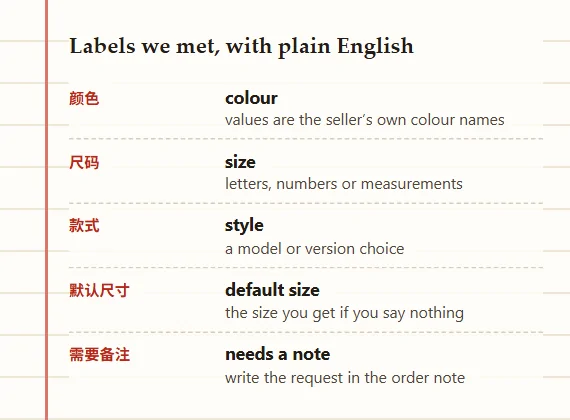
Labels such as 颜色 (colour), 尺码 (size) and 款式 (style) are copied straight from the seller, and so are the values under them. A browser translation helps, but copy the original characters too: they are what the seller and the warehouse will read, and what your order note must quote to be unambiguous.
Sometimes the label carries a rule. One jewellery entry offered a single style whose label read 默认尺寸20cm其他尺寸需要备注: default size 20 cm, other sizes need a note. If you want 18 cm, nothing on the card will say so; you write it in the order note, and you write in your daybook that you did.
Empty QC tabs are the normal case
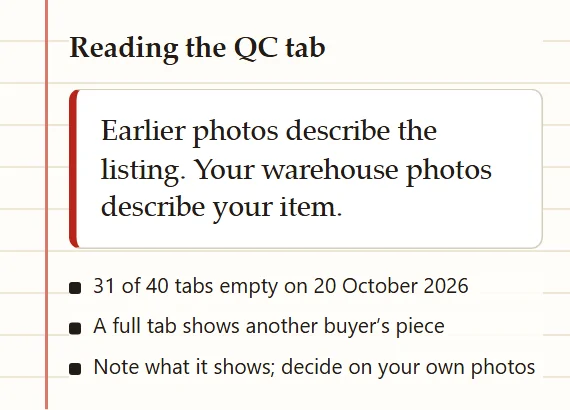
Thirty-one of our forty entries had an empty QC tab. The other nine held between three and thirty-eight QC photos each, taken for earlier orders before those parcels shipped. Those are useful for seeing the general make of a piece, and less useful than they look: they show someone else’s item, from another day’s stock.
Your own photos come later, from the CNFans warehouse, once your item arrives. An empty tab is normal and is not a warning. A full one is a preview, worth a line in your notes (“earlier photos showed a looser collar”) and nothing more.
The note sellers attach before purchase
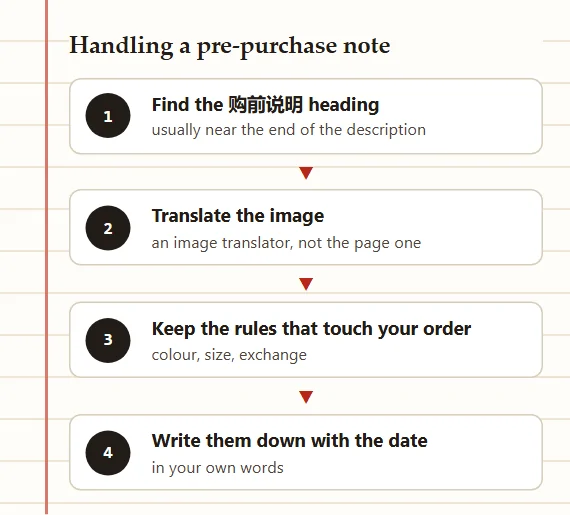
Nineteen descriptions included a section headed 购前说明, pre-purchase notes. In the entry we studied closely it was a single tall image of text rather than words you can copy, which means a browser translation will skip it unless you use an image translator.
Read it anyway, once, before you pay. Notes like these usually set out the seller’s own terms for colour difference, measuring and exchanges. Write the two or three rules that affect your order into your daybook, in your own words, with the date you read them.
If a note contradicts what the option menu says, the note usually reflects the seller’s practice and the menu their software, so ask before paying rather than hoping the menu wins.