
Home / Ordering
One CNFans order, logged while it happens
Nine actions from CNFans’ official guide, with the dates worth keeping at every handover. The original screens show where to search, pay, inspect and submit a parcel; your daybook records what actually happened to your order.
Before paying: account access and the current quotation
You need a CNFans account. On the archived sign-up form that meant an email or username, a password given twice, an image code, and ticks against the service terms and privacy statement. Write down which email you used, and when; it saves a hunt later.
Before adding funds, check the payment methods and complete charge in the account. Card logos and a top-up heading do not establish which method is available to your account, its fees or whether a balance is required. Save the displayed currency, total and payment confirmation.
Our October 2026 check found a maintenance notice on cnfans.com. Use this guide to prepare and understand existing records; verify service availability and the current account instructions before starting a new order.
Watch the official CNFans walkthrough · 1:37
Historical official demonstration, 2025. The text and images below explain the nine steps. Payment methods, platforms, prices, storage counters and offers shown in the video are not current promises.
Open the original video ↗1. Search for the seller’s product
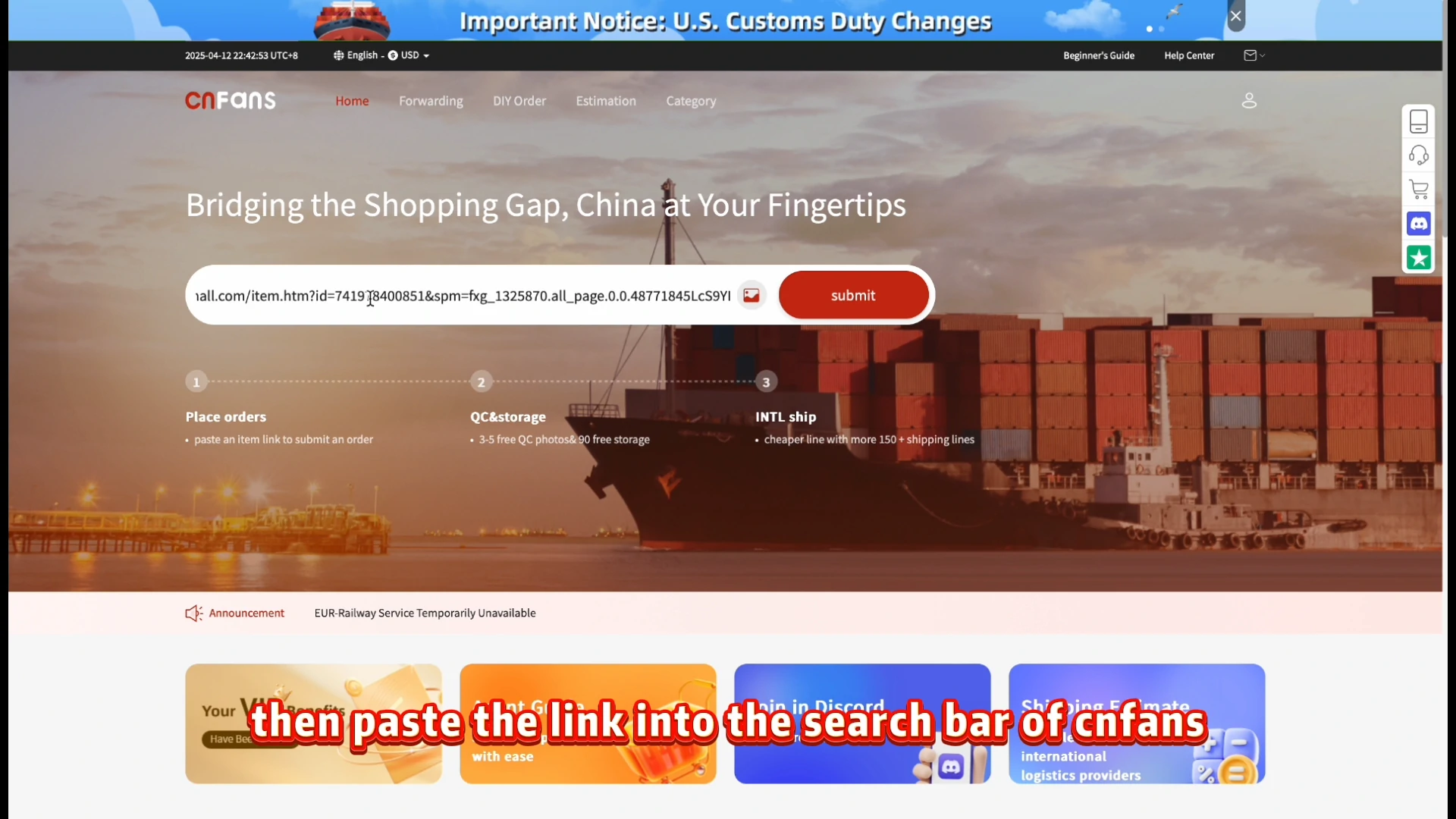
Start with the original seller URL, then paste it into CNFans’ product search. The historical demonstration uses the search field and Submit. Confirm that the result is the same seller and item; a similar photo or a catalogue card is not enough to identify the listing.
Open the entry in the catalogue and choose the option there first: colour, size, style, whatever the menu offers. Open the original seller listing and copy that product URL, not the catalogue card address. Record the option exactly as the seller wrote it, in the seller’s own characters, with the yuan price shown for that option and today’s date.
2. Confirm the option and submit the item
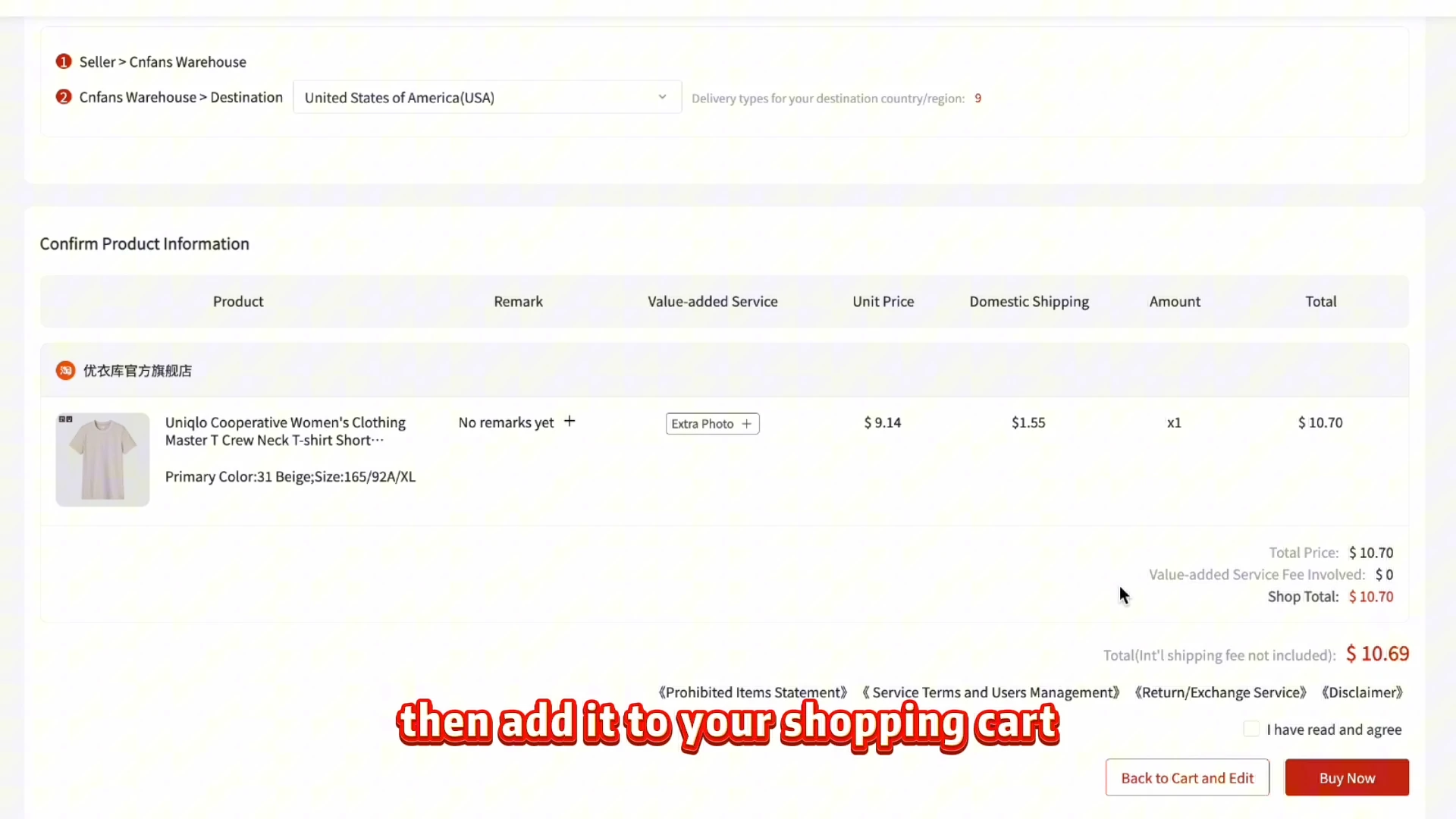
Choose the exact colour, size, version and quantity. Add the item to the cart or use the purchase action, then review the order summary, domestic postage, remark and any extra service. In the example, Back to Cart and Edit returns to the selection and Buy Now continues; neither means payment has succeeded.
Use the order note for anything the option menu does not cover. One jewellery entry we read set a default length and asked for other sizes by note; a request like that only exists if you write it. Copy the note you sent into your daybook, word for word, so you can match it against what the warehouse photographs.
3. Pay the goods order, before international freight
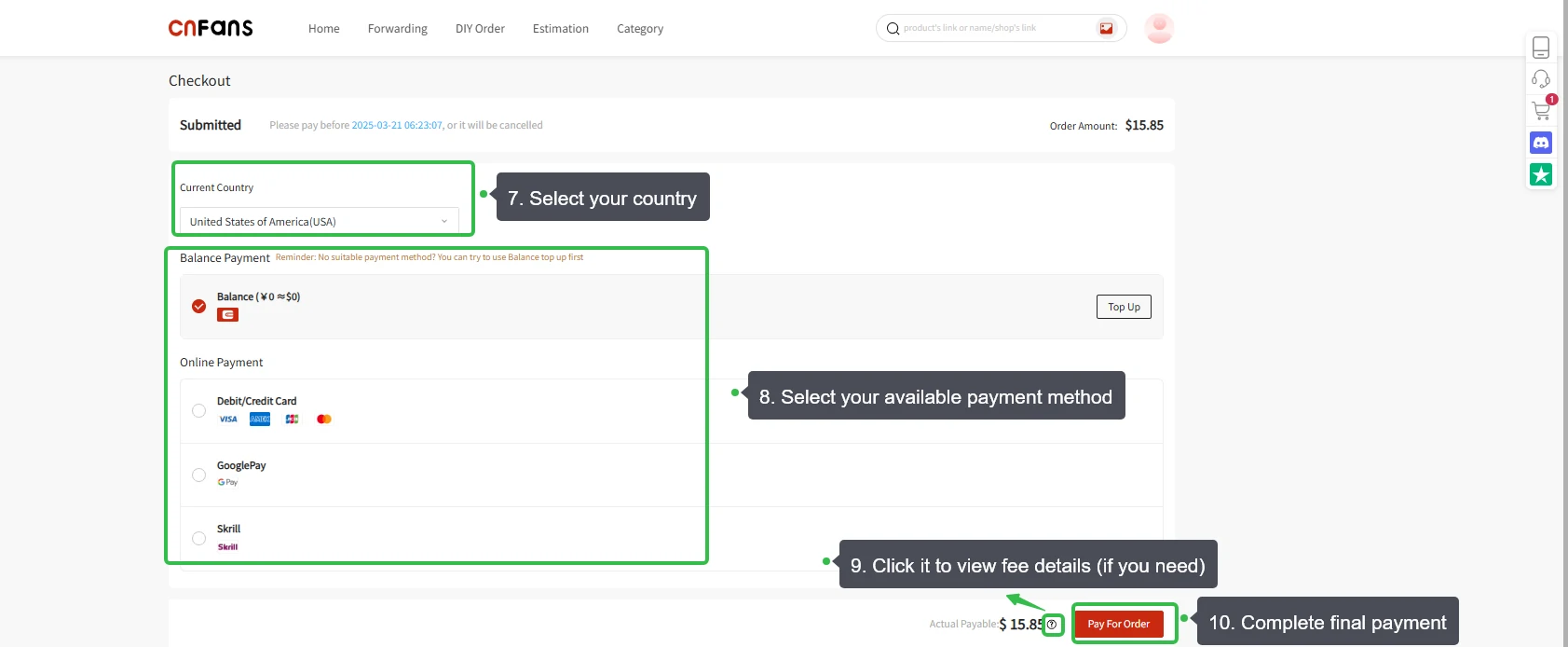
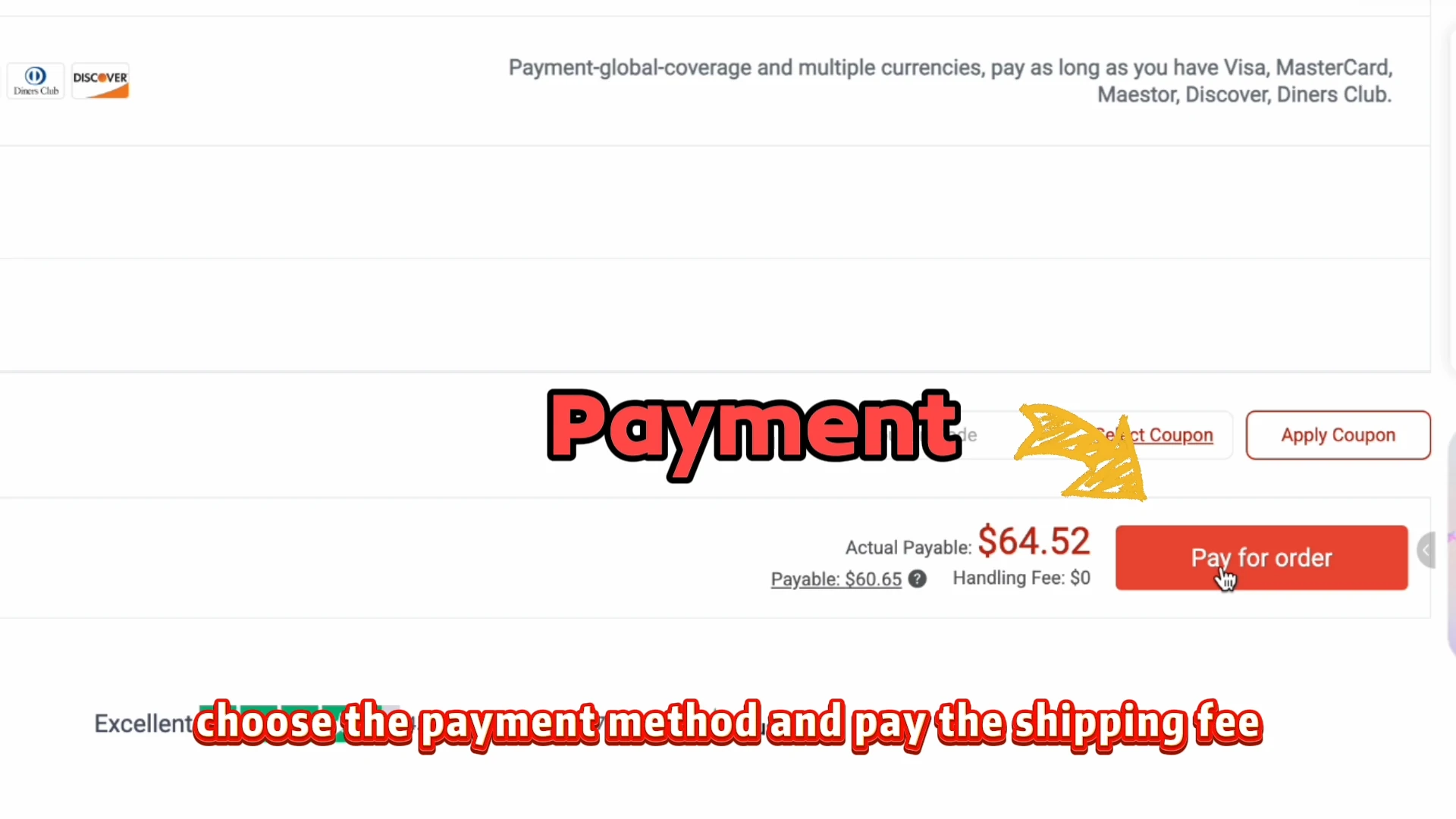
This payment is for the goods order, including domestic postage and any displayed service charges. International freight is a later decision. Check the destination, offered payment method, currency conversion and final payable amount before paying; keep the actual confirmation and order reference.
The first payment covers the item itself and, where the seller charges it, delivery from the seller to the warehouse inside China. Any agent fee shown at the checkout belongs here too. Record the CNFans order number and the goods-order amount shown in CNY. Separately save the actual payment currency and amount charged by your payment provider; conversion and payment fees can make these totals differ.
4. Check the agent’s purchase in Orders
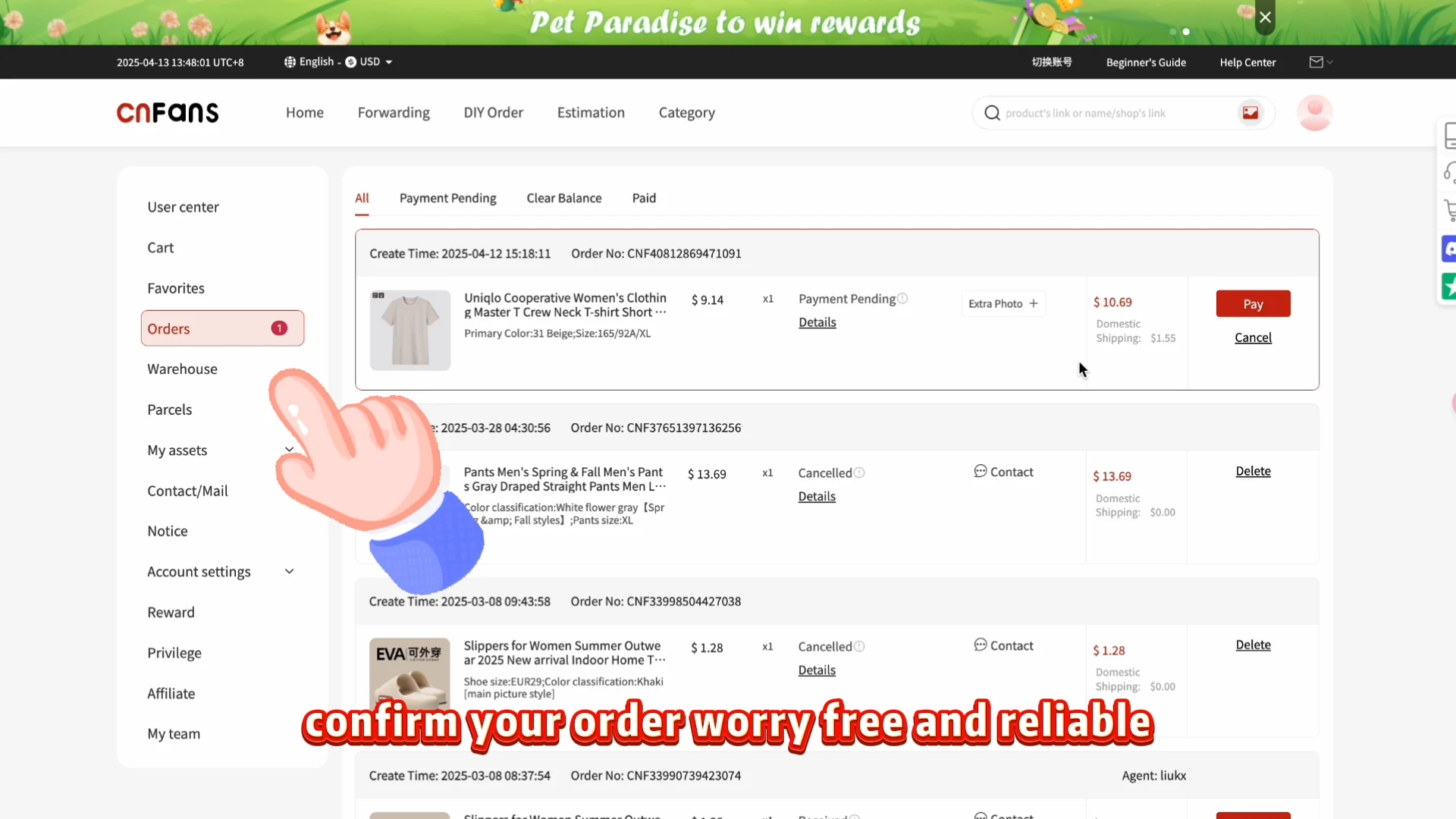
Open Orders and read the item’s real status and any message from the purchasing agent. Paying the order, the agent accepting it and the seller purchase being completed are separate events. Payment Pending is not a completed purchase, and Cancelled is not proof that a refund has arrived.
A listing can become unavailable between saving it and the purchase request. Ask the agent which options are available, whether cancellation is possible and how any refund will be handled. Keep the written answer and the actual refund transaction; do not assume its destination or timing.
5. Follow the seller’s delivery to the warehouse
After purchase, the seller sends the goods to the CNFans warehouse in China. Check seller dispatch and domestic tracking separately from the payment date. A courier delivery scan does not by itself mean warehouse intake or QC is complete. If a line is partially delivered, ask which items the seller parcel contained.
Once the purchase is confirmed, the seller prepares and dispatches the item, the domestic courier carries it, and the warehouse records its arrival. These are separate intervals: seller preparation, transit and agent intake can each take time. When a domestic courier number appears on your order, copy it with the date, then record the warehouse intake date separately.
6. Inspect the Warehouse record and QC photos
After intake, find the received item in Warehouse and open its available QC images. Compare the paid option, quantity, label and requested measurement with the evidence shown. A photograph cannot settle a hidden detail or guarantee authenticity, performance or fit. Ask about missing views and resolve a mismatch before international shipment.
When the item is booked in, CNFans photographs it. This is the decision point: accept it and let it wait for a parcel, or raise a problem now, while the goods have not left China and the seller still answers.
Save the photos with the date they appeared, and write one line on what you checked. The QC photos page has the order to check things in. Problems raised now are far easier to sort than problems found at your door.
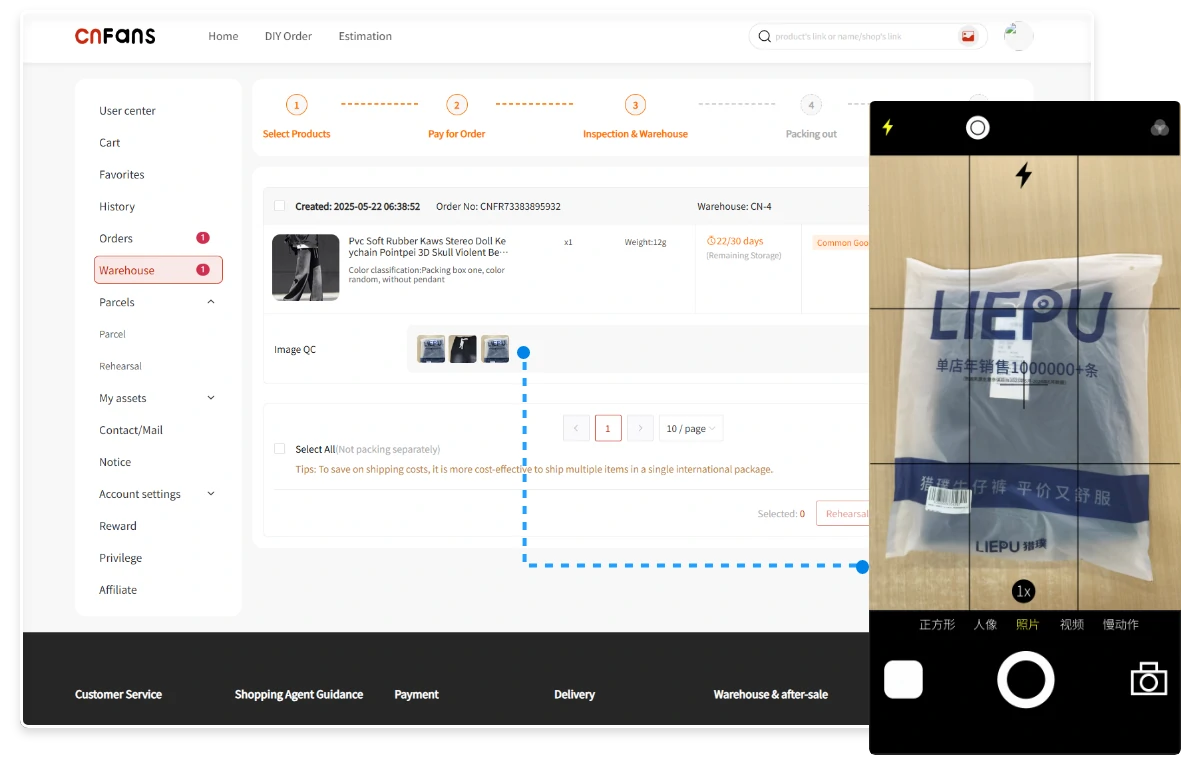
7. Select cleared items and request outbound shipping
Select only the Warehouse items you intend to send together, then check the destination, storage status and outbound eligibility. The demonstration shows the item checkbox, Rehearsal Packing and Submit. Resolve an Expired status or other restriction before relying on the selection. Confirm any rehearsal, packing or storage charge separately.
When the items you want to send are ready, choose the parcel contents and review packing, eligible shipping lines and the quote. The account may quote estimated freight before final packing or offer a separately priced rehearsal. Check the final bill and any adjustment after size and weight are confirmed.
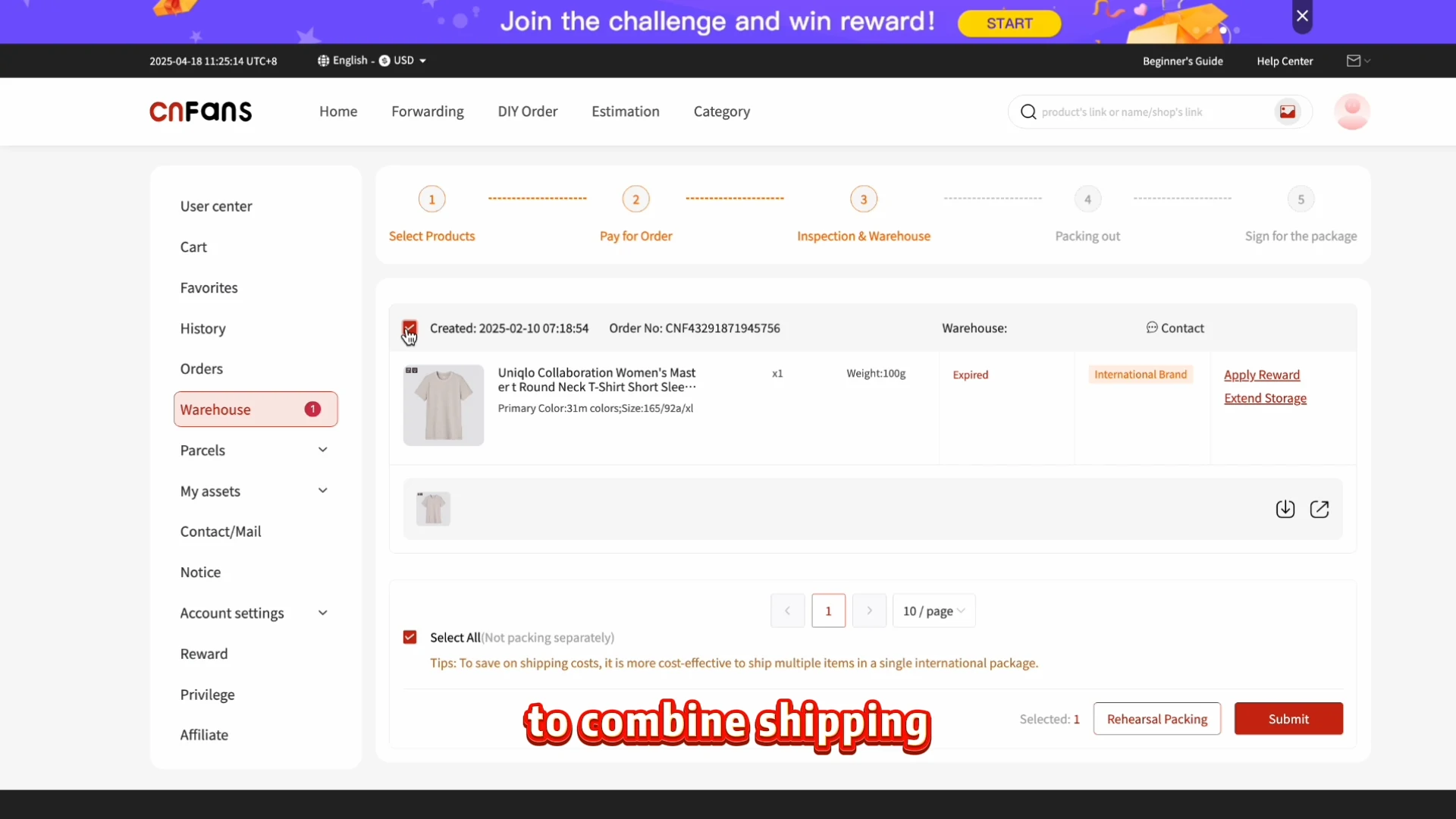
8. Choose the route and pay international freight
After the outbound request, compare the lines actually offered for the destination and contents, then review the shipping bill before paying. Check the chargeable weight or volume, packing and any optional service. An initial estimate may change after packing; keep the quotation, settlement and parcel reference.
Write down which entries went into the parcel, the weight on the bill, the line name, the price and the tracking number when it comes; five short facts, one line each. The shipping page explains weight, bulk and lines; the costs page follows the money.
9. Follow the parcel after dispatch
After dispatch, use Parcels and the assigned tracking information to follow the shipment. A paid freight bill or submitted request alone does not establish that a carrier has the parcel. Keep the parcel ID, dispatch record and tracking number together; ask the agent to investigate an unexplained delay rather than inferring a location from silence.
Add the dispatch date and tracking reference only when they appear. Record delivery as another event, then compare the received contents with the parcel selection and warehouse evidence. A tool-generated gap is a prompt to check a handover, not proof that the seller or carrier caused it.
The whole order on one page
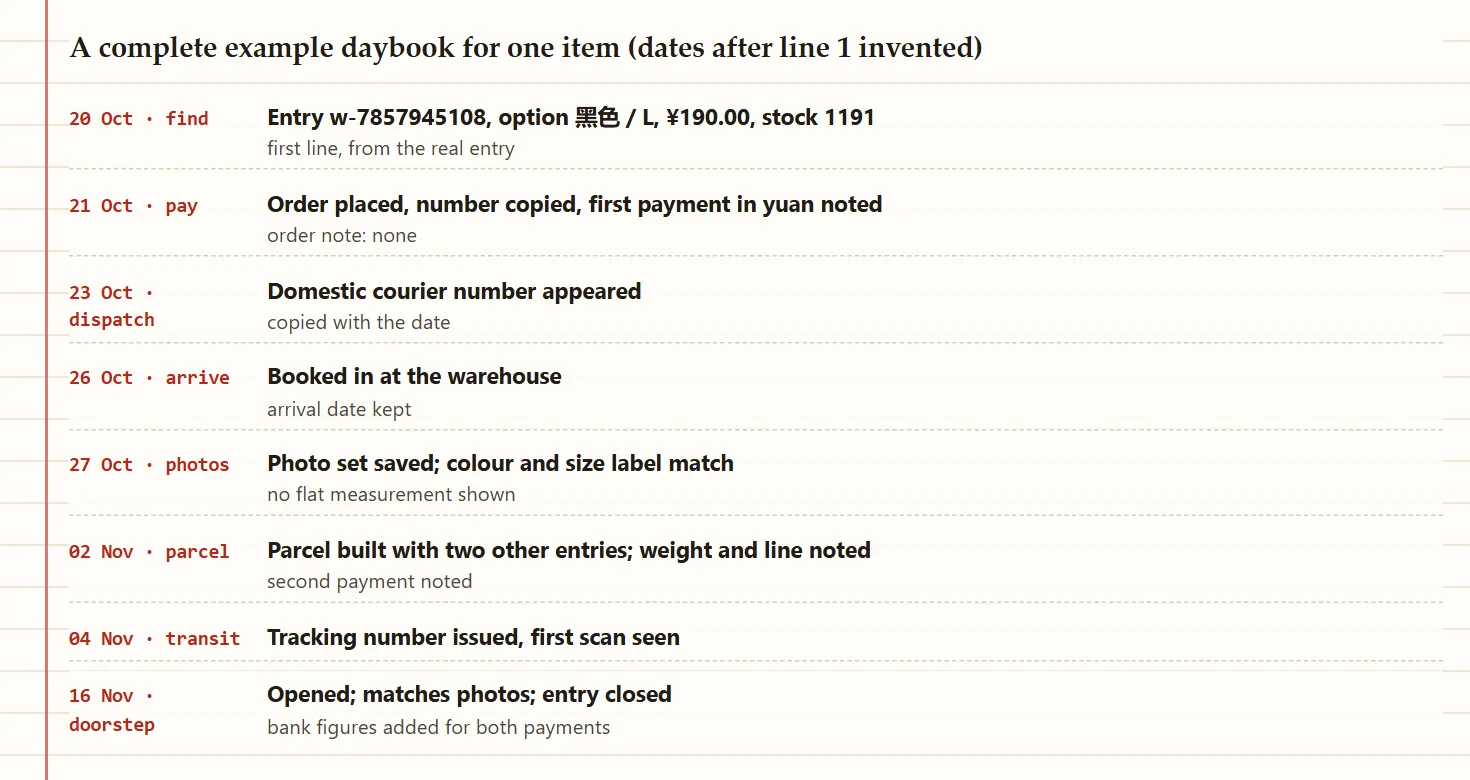
Put together, a single item makes about a dozen short lines. Below is a complete example built around the hooded-top entry we checked; every date and number after the first line is made up to show the shape, not to predict how a real CNFans order will run.
Keep yours wherever you will find it again: a notes app, a paper notebook, an email to yourself. The Daybook timeline turns the dates into a strip and a block of text you can paste.
One item, two dates: the record that prevents a false start
Imagine that you pay for a black hoodie on Monday, but the seller accepts the order on Wednesday. Monday belongs on the payment line; Wednesday belongs on the purchase confirmation line. Do not fill the warehouse arrival date from either of them. A later domestic tracking scan is a third event.
- Save the listing URL, black option, exact size and quoted domestic postage before the first payment.
- Read the account status after payment. A balance deduction or receipt is not proof that the seller has dispatched the goods.
- When QC appears, save the pictures and the time you first checked them. Record a pending measurement request separately from an acceptance decision.
- At parcel submission, record only the items selected for that parcel. Keep a second entry for an item still awaiting an answer.
If support says a parcel contains the hoodie but your record shows it was left in storage, send the order ID, parcel ID and the selection screenshot together. This is more useful than a single timeline date. The daybook tool lays out your dates; it cannot verify the agent’s status or start a claim.