Home / Daybook timeline
The Daybook timeline for CNFans orders
Type the dates of the stages your order has passed. The tool counts the days between them, draws a strip, marks the longest gap and prints a record you can paste anywhere.
Type the dates you have
Fill in any of the eight dates, in any combination; leave the rest blank. The timeline is worked out in your browser and nothing is sent anywhere.
Working the timeline, start to finish
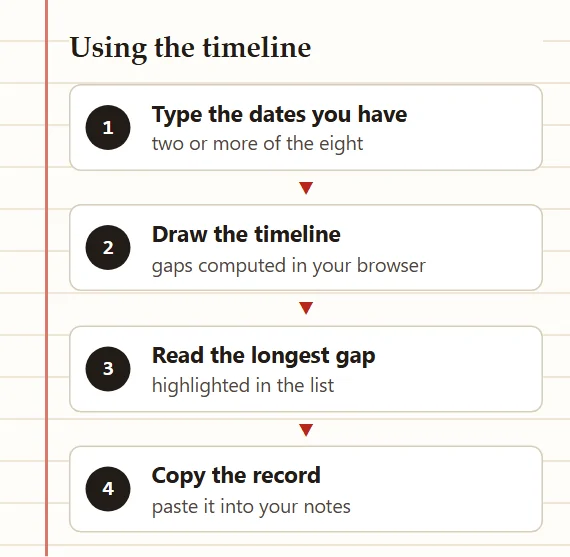
Everything about how to use this tool fits in three verbs: type, draw, copy. Enter the dates you know, in any order; the tool sorts them by stage, not by when you typed them. Two dates are enough to draw something. Press “Draw the timeline” and the strip appears, one coloured block per gap, sized by days.
Under the strip is a list of each gap with its day count, the longest one highlighted, and a line counting the days from your latest date to today. The text box holds the same information as plain lines, ready to copy into notes or a message to support.
If a later stage has an earlier date than one before it, the tool says so instead of drawing a negative gap. That usually means a typing slip, and occasionally a record worth double-checking.
Reading the strip, gap by gap
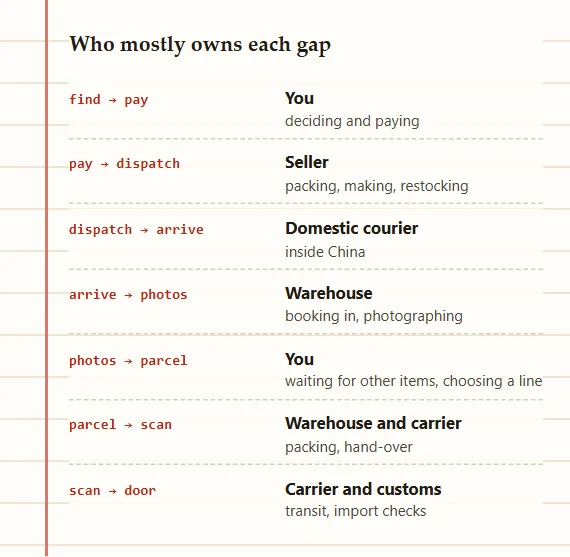
Each of the seven gaps belongs mostly to one party. Entry to payment is yours. Payment to dispatch is the seller’s. Dispatch to arrival is the domestic courier’s. Arrival to photos is the warehouse’s. Photos to parcel is yours again, since you decide when to ship. Parcel to first scan is the warehouse and carrier; first scan to door is the carrier and customs.
So the longest gap points to who to ask, or tells you the wait was your own choice. A long photos-to-parcel gap is common and harmless if you were waiting for other items; a long gap after the first scan is the one where tracking and customs come in.
Comparing two of your own orders is more telling than comparing yours with a stranger’s. Same seller, same line, different month: the gap that grew is the thing that changed.
Limits the tool keeps on purpose
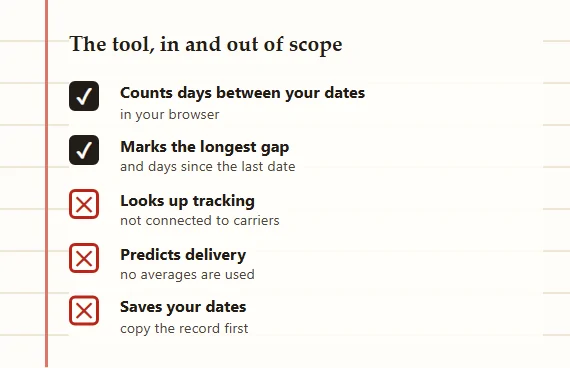
It does not look up tracking, contact CNFans or estimate delivery dates. It knows nothing about how long CNFans, a seller or a carrier usually takes, because no such figures were published that we could check, and we would far rather draw your real dates than an invented average.
It also stores nothing. Close the page and the dates are gone, so copy the record before you leave; the copy button puts the whole block on your clipboard. That is deliberate: your order history stays in your own notes, where you control it.